
Article: How to recover MS Office documents?
Introduction.
Recovery of deleted or damaged files is a tricky thing. Files may be already overwritten, or partially overwritten, or damaged beyond any repair. There is no way of knowing that before you buy an expensive recovery program, because recovery tools show only a list of potentially recoverable files. There's no guarantee that the listed files will be recovered successfully.
However, there is one tool that guarantees success. It recovers only certain types of documents (MS Office and Open Office documents are among them), which makes it a specialized application with extended capabilities. It allows a full preview of deleted or damaged documents. If a full preview is possible, the document can be recovered completely.
It's DiskInternals Office Recovery.
Step 1: Download and install the program.
Download DiskInternals Office Recovery to a known location. Run setup and follow on-screen instructions to install the application. It is not recommended to install the program on the same disk where you intend to recover documents.
Step 2: Start the program. Select a drive to scan for deleted documents.
Launch DiskInternals Office Recovery. Click "Next" on the welcome page. The program will scan for available drives on your system. A list of drives (physical and logical) will be shown:
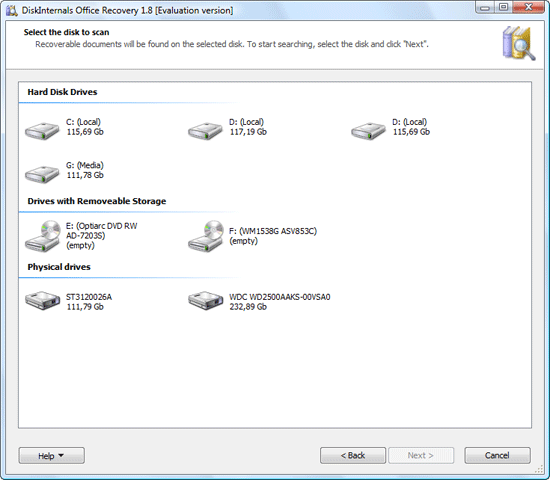
Select the device where you want to recover MS Office documents. Click "Next".
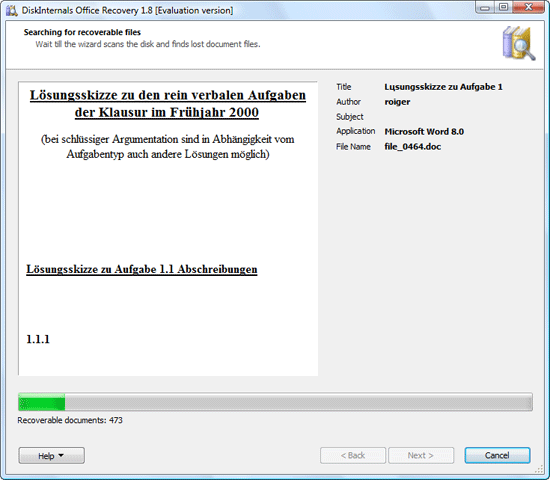
The program starts scanning. Unlike many undelete tools that scan only file table and thus cannot recover certain groups of files, DiskInternals Office Recovery can access files directly. The program ensures that no recoverable file is skipped.
While scanning, DiskInternals Office Recovery shows contents of found documents.
Step 3: Find and recover MS Office documents.
If the document that you are looking for has been found, you can cancel the scanning. Alternatively, you can wait until the process is over.
DiskInternals Office Recovery shows a list of recovered documents.
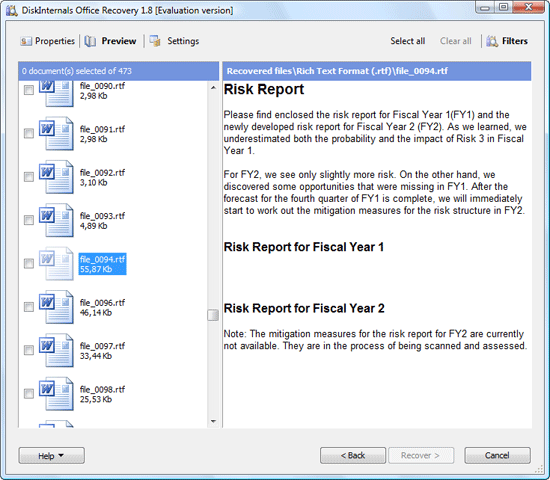
Sometimes the documents don't have any recognizable filenames. This means that it wasn't possible to recover filenames. However, the document may be still completely recoverable. Click it to preview contents. Double-click a document to preview it in a new window.
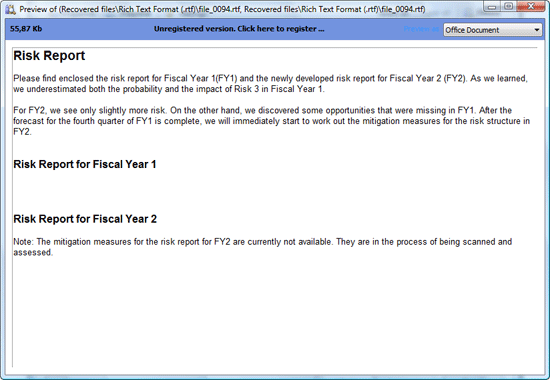
Check if you can see the whole document. A complete preview guarantees that the document is not overwritten or otherwise damaged, i.e. it is possible to recover it.
Close the preview window. Check boxes near documents that you want to restore and click "Next".
The program asks you how you'd like to recover your documents. You can save files to a storage device (HDD, memory stick etc.), burn them to a CD or to a DVD, or upload the files to a FTP server.
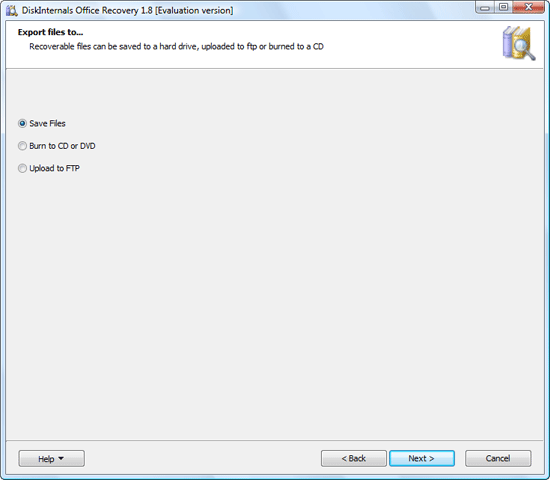
Depending on the method you choose, the wizard asks a few additional questions. For example, if you choose to save files, you should specify an output folder.
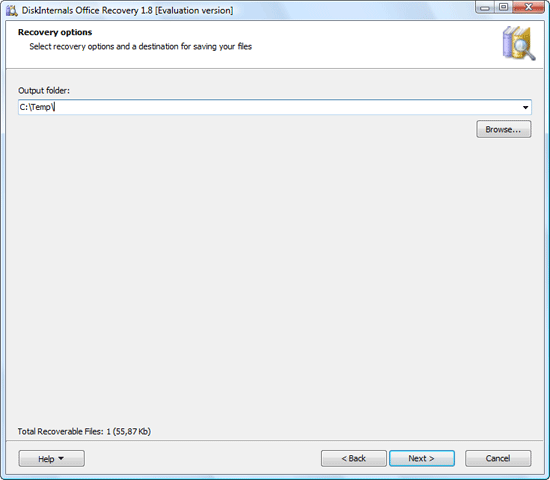
It is not recommended to save files to the same disk where you recover files.
 Product Page
- Firewall and Intrusion Detection
- Network/Protocol Analyzer
- Network Scanner
- Privacy and Anonymity
- Whois and TraceRoute
- Network Utilities, Suits, Toolkits
- Network Monitor
- Network Traffic Accounting
- Network Inventory
- Remote Control
- File and Disk Encryption
- File and Password Recovery
- Keylogger and AntiKeylogger
- Email Tools
All Categories
Best Recent Downloads
-
PA Server Monitor Ultra
Agentless distributed monitoring of servers and devices
-
GFI WebMonitor - Standalone Proxy Version
Internet monitoring and web security for SMBs
-
GFI LANguard Network Security Scanner
Network vulnerability management solution.
-
Nsauditor Network Security Auditor
Scan and monitor network.Over 45 net tools.
-
10-Strike Network Inventory Explorer
Monitor network computer inventory
-
Network Administrator's Toolkit
Inventory user PCs and monitor servers
-
Net Monitor for Employees
See their screens and take a control.
-
SpotAuditor
Recovers MSN,IE,Outlook,ICQ,Ras,Ftp passwords
-
Alchemy Eye
Server monitoring tool
-
NetResident
Network content monitor
-
Advanced Host Monitor
Award-winning network monitoring software
-
Network Inventory Reporter
inventory software
-
SpotIE Password Recovery
SpotIE recovers Internet Explorer passwords.
-
Asset Tracker for Networks
Inventory network workstations, build reports
-
SpotMSN Password Recover
Recovers MSN messenger and Live passwords.
-
Accent OFFICE Password Recovery
How to break passwords in Office / OpenOffice
-
East-Tec Eraser 2008
Keep what you do on your computer to yourself
-
Security Task Manager
Enhanced Process Viewer that protects your PC
-
NetInfo
A full-featured network toolkit.
-
SpotFTP Password Recover
Recovers FTP passwords stored in computers.
-
Free IP Scanner
A very fast IP scanner and port scanner.